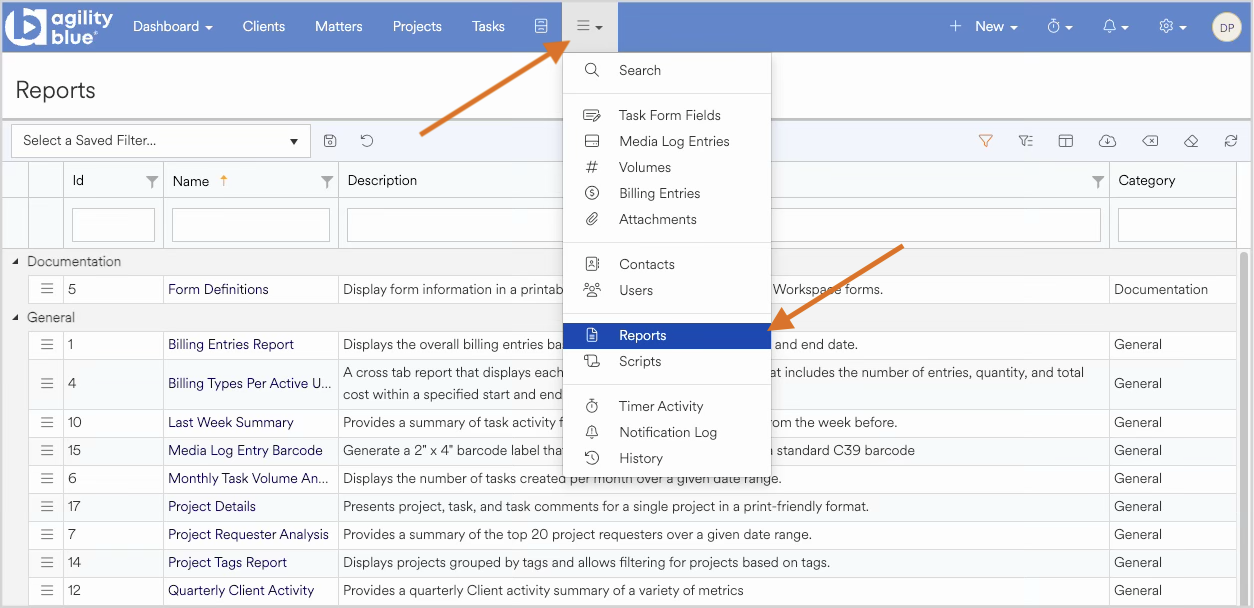
To view the available reports within a workspace, navigate to main context menu located in middle of the blue menu bar and choose reports from the drop down picker.
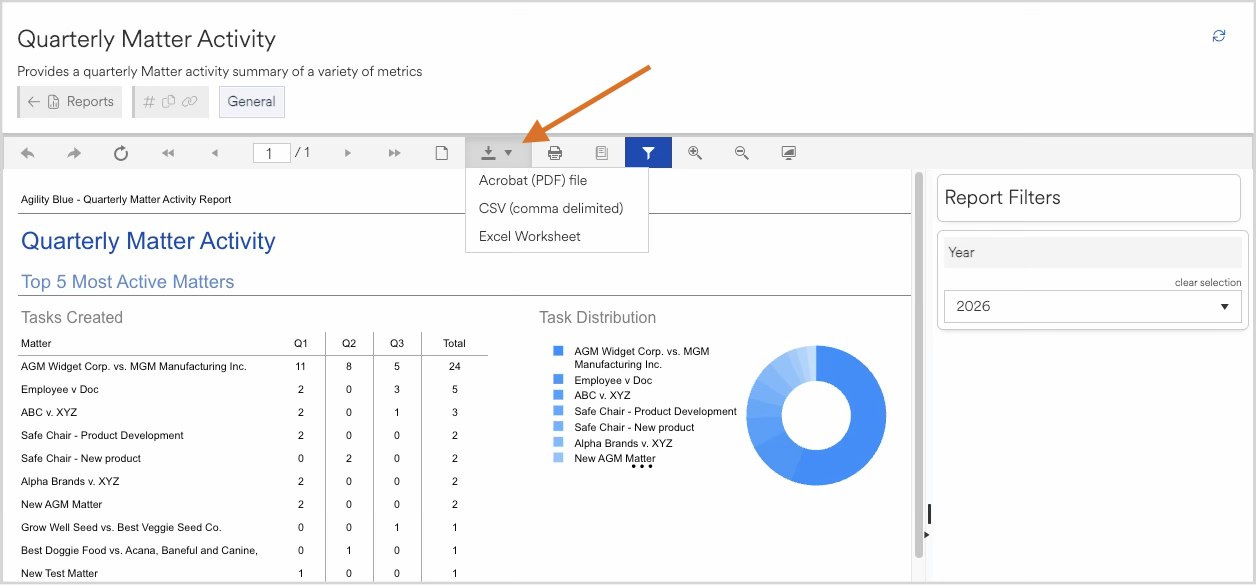
Select the report you wish to run by clicking the name. Once selected the report will populate with a set of default values. Reports vary widely from simple tabular styles to visual representations of data and a variety of filters may be available depending on the report. To export a report choose the download icon at the top and select from the availble export types.