Overview
Agility Blue allows users to reply to emails and have those responses automatically linked back to the correct task or conversation.
This means you can continue working directly from your email client while still keeping all communication organized inside the platform. Whether you’re responding to a system-generated email or continuing a broader email thread, Agility Blue works to ensure your reply ends up in the right place.
How Replies Are Handled
When a reply is received, Agility Blue evaluates the message and determines whether it belongs to existing work or should be treated as something new.
In most cases, replies will be automatically associated with:
A comment linked to the original task, if the email was a task or task comment notification that was originally generated from Agility Blue.
An existing email conversation linked to the original task, if the reply is part of an ongoing email thread.
This happens automatically and does not require any additional steps from the user.
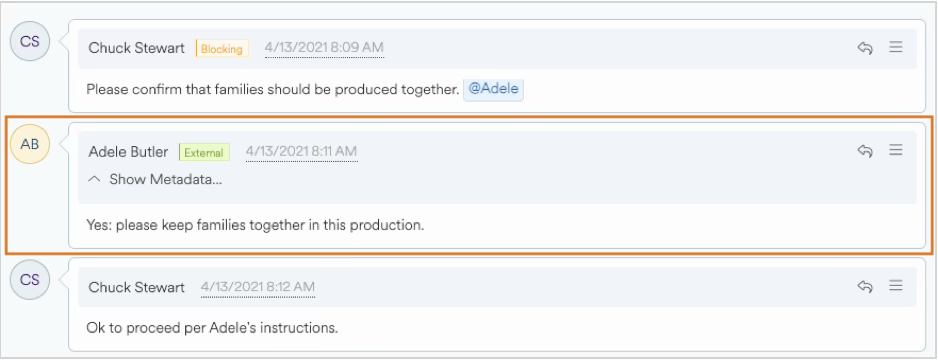
The above example highlights a comment that was created from an email response.
Replying to Task Notifications
When you reply to an email sent from Agility Blue about a task or task comment:
Your response is added as a task comment
The comment appears in the task’s activity history
Any attachments included in your reply are also uploaded
This is the most direct and reliable way to update a task via email.
Continuing an Email Conversation
Agility Blue also supports replies that occur outside of the application, as part of a normal email conversation.
This is especially useful when:
Multiple people are included in an email thread
The conversation continues outside of Agility Blue
The managed inbox remains included in replies
In these cases, Agility Blue uses the email’s conversation context to determine where the message belongs and will add it to the appropriate email thread whenever possible.
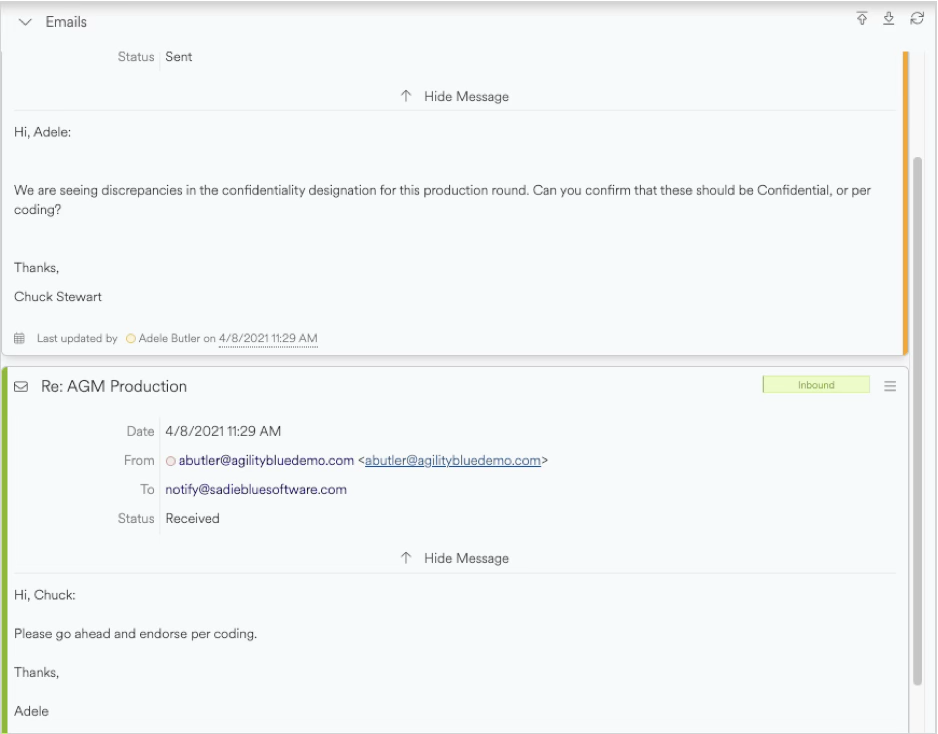
The above example showcases an email thread attached to a task.
When a Reply Creates a New Task
In some situations, a reply may result in a new task being created instead of being linked to an existing one.
This can happen when:
The email is not recognized as part of an existing conversation
The original message context is missing or has been significantly modified
The managed inbox address was not included in earlier messages
When this occurs, the message is still captured, it just enters the system as new work rather than continuing an existing thread. You may move emails from one task to another in situations like these by using the task email’s context menu and clicking on “Move…”
Best Practices
To ensure replies are matched correctly:
Keep the original email thread intact when replying
Make sure the managed inbox address remains included
Avoid removing or heavily modifying the original message content
These simple practices help Agility Blue maintain accurate associations between emails and tasks.
What to Expect
Most of the time, reply handling is seamless and automatic. However:
Replies may occasionally be treated as new tasks if the system cannot confidently match them
All messages are still captured and can be reviewed or reassigned if needed