What is Time Tracking in Agility Blue?
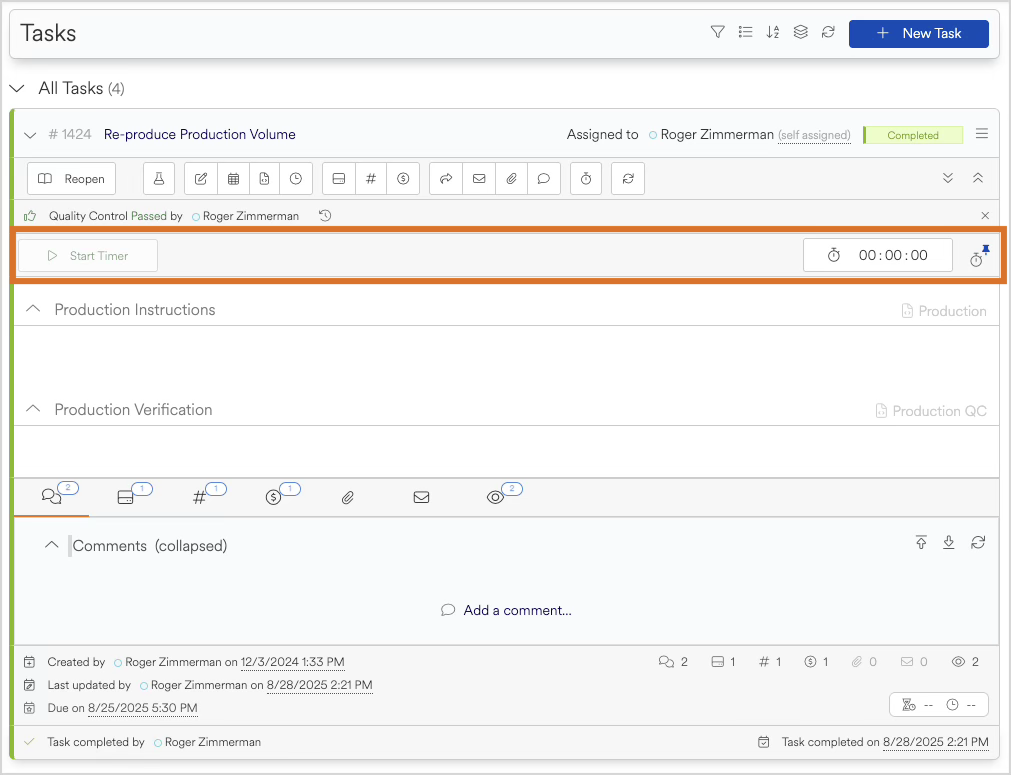
Time Tracking in Agility Blue allows users to capture work directly within tasks using a built-in timer. Instead of manually recording time after the fact, users can start, pause, and stop a timer as work is being performed.
This approach helps ensure time is captured accurately and consistently, while keeping everything tied to the task where the work is actually happening.
How Time Tracking Works
Time Tracking is centered around task-level timers. Each timer records the total time spent working on a task, tracking activity as it progresses.
Users can:
Start a timer when work begins
Pause and resume as needed
Stop the timer when work is complete
Time is stored automatically as the timer runs, so there is no need to manually calculate or track durations.
Timers are designed to be flexible and non-destructive, allowing users to manage their time naturally without worrying about formatting or billing rules during the tracking process.
Timers and Billing
Time Tracking is closely connected to billing, but the two are intentionally separated.
Timers capture raw elapsed time, while billing rules—such as rounding, minimums, or unit conversions—are applied later when creating billing entries.
This separation allows:
Accurate tracking of actual work performed
Consistent application of billing rules
Flexibility across different billing types and scenarios
Users do not need to think about billing while tracking time—Agility Blue handles that during the billing process.
Where You’ll Use Time Tracking
Time Tracking is used directly within tasks, making it part of your natural workflow. Whether you're reviewing documents, processing data, or completing project work, timers are available where the work is being done.
Because timers are embedded in tasks:
Time stays tied to the correct work item
There’s no need to switch tools or enter time separately
Activity is easier to review and manage later
What’s Covered in This Category
This category includes a collection of articles designed to guide you through all aspects of Time Tracking in Agility Blue.
As you move through these articles, you’ll learn how to:
Use timers within tasks
Understand how time flows into billing
Configure billing types for time tracking
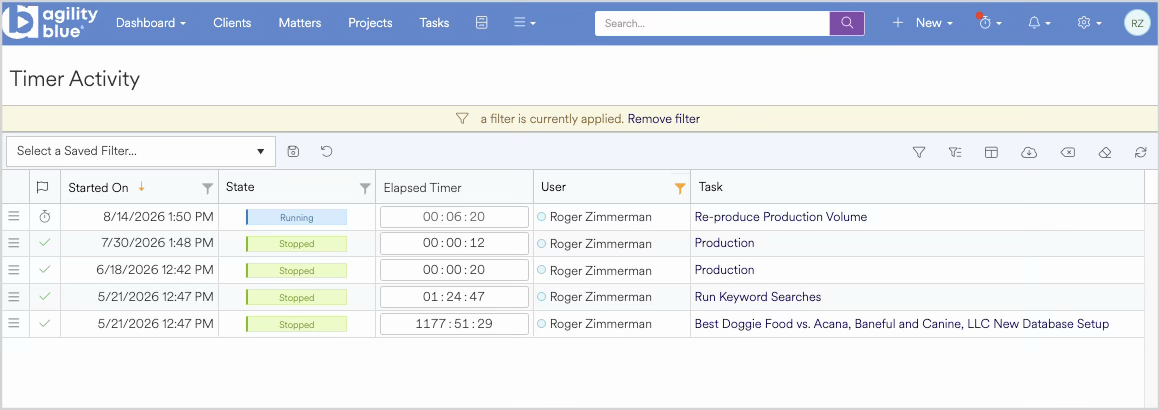
Monitor and manage timers across your workspace
Apply time tracking in real-world scenarios
Use the navigation panel or links below to explore each topic in more detail, depending on what you’re trying to accomplish.